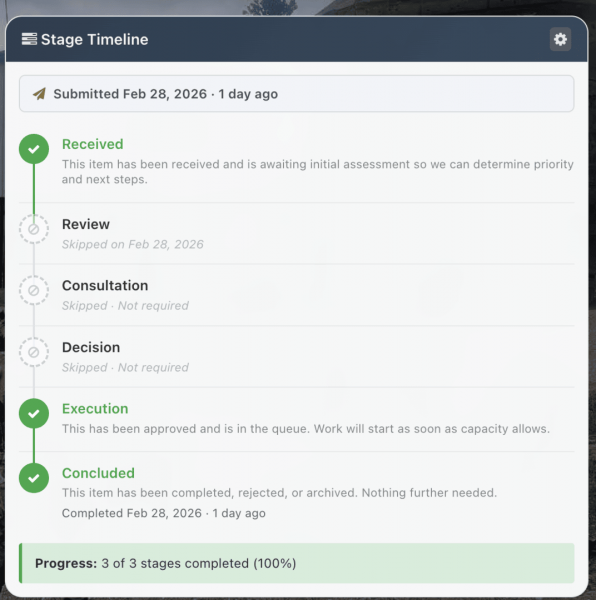
How Items Progress
Every item on the Roadmap follows a path through a series of stages. These stages give structure to the process. They make sure ideas don't just get submitted and forgotten, and that the right conversations happen at the right time.
The six stages are:
- Received - The item has been submitted and is waiting to be picked up.
- Review - The item is being looked at to understand what's being proposed and what it would involve.
- Consultation - Input is being gathered from the people and teams who'd be affected or who have relevant expertise.
- Decision - The Authority decides whether to approve, reject, or adjust the item.
- Execution - The item has been approved and work is underway.
- Concluded - The item is done, whether it was completed, rejected, or closed for another reason.
Not every item goes through every stage. Some types are configured to skip stages that don't apply. A straightforward technical fix might skip Consultation entirely, for instance. The stages an item passes through depend on its type and how J11 has configured it.
Tracking progress
On each item's page, you can see exactly which stage it's in, how long it's been there, and the full history of when it moved between stages. If target dates have been set, you can also see whether the item is on track or overdue.
Items move between stages when the people responsible (typically the Pointman or Authority) decide it's ready. Stage changes are logged and visible to everyone.