

UNITAF Future
UNITAF

Caution

This site is a work in progress

This site is finished to different degrees. Feedback is welcome. Please bear in mind that most of what you see, if not everything, is still a work in progress.

Data from the live site is synced here every hour. Anything you do on this site stays here. It is not copied back to the live site until we switch over.

Discord and permissions are linked. Be careful with admin actions. Some of them also change Discord.

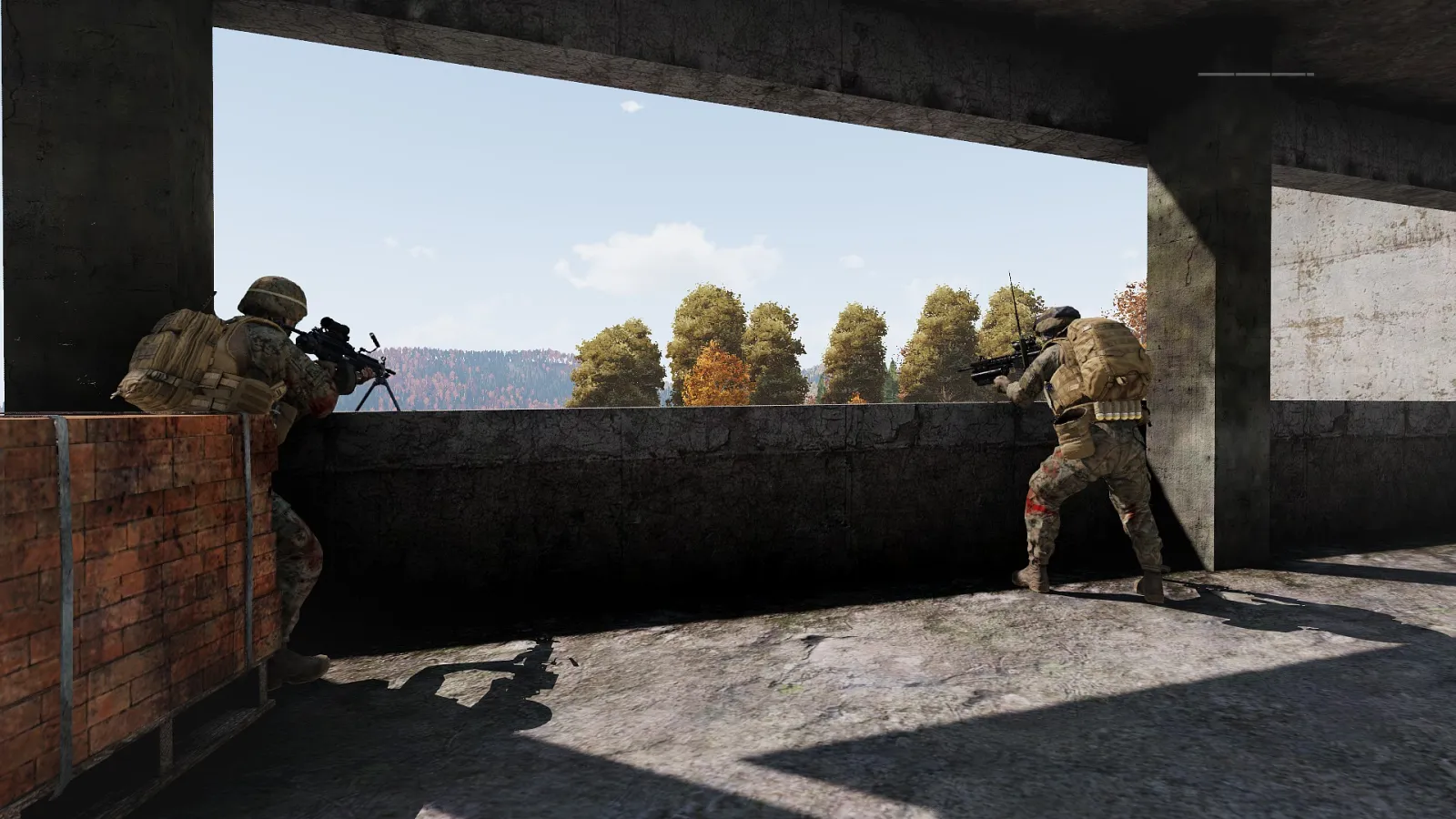
UNITAF members during an operation

Permissions

What each permission lets someone do, and who holds it now.

Permissions

99

Areas

15

In use

99

99 permissions

Loading

Access

2
  • Grant permissions

    Attach and revoke named permissions on positions, and issue direct member grants.

    Everywhere

    1position
  • View the site as another member

    Sign in as another member from their Manage desk to test what they see and can do. Everything done is real and is logged under their name as done by you; their sign-in and security settings stay out of reach, and it ends after an hour. Nobody who holds this permission can be viewed as.

    Everywhere

    1position

Community

1
  • Manage UNISOCIAL

    Approve and edit the UNISOCIAL catalogue, and change its Discord and policy settings.

    Everywhere

    1position

Content

5
  • Change section cover photographs

    Change the photograph behind a section's cover (Roles, Awards, Get Involved and so on) to one from the Media centre, or back to the default.

    Everywhere

    1position
  • Manage all announcements

    Create, edit, pin, publish, retire and ping any Update, and change Content Discord settings.

    Everywhere

    1position
  • Manage image policy

    Change image policy: upload size, how many files at once, where tag suggestions come from, which video sites are accepted, and how long a removed image can still be restored.

    Everywhere

    1position
  • Manage own announcements

    Create Updates as yourself, and edit or ping Discord for Updates you authored.

    Everywhere

    1position
  • Remove images and tags

    Remove any image from the library, rename it, restore one that was removed, and remove a tag naming somebody. Members can always remove their own images and untag themselves without this.

    Everywhere

    1position

Doctrine

5
  • Arrange the Force Manual

    Add, rename, move, order and retire the team's Force Manual sections and documents, embed passages, and choose the platforms documents and passages apply to.

    Everywhere, or on the holder's own team

    2positions
  • Manage Force Manual classifications

    Add, edit and retire Force Manual classifications, choose which ones members are asked to read, and change reading notices.

    Everywhere

    2positions
  • Publish Force Manual changes

    Publish drafts in the team's Force Manual sections as material or editorial changes, send drafts back, choose who can read a document, and retire, restore or revert.

    Everywhere, or on the holder's own team

    2positions
  • Set a team's Force Manual review rule

    Decide whether the team's Force Manual changes need a second person to review them before they are published.

    Everywhere, or on the holder's own team

    2positions
  • Write Force Manual drafts

    Add passages and write drafts in the team's Force Manual sections, attach a picture or video, and send a draft for review.

    Everywhere, or on the holder's own team

    2positions

Insight

1
  • Run the daily round-up

    Choose whether the daily Discord round-up posts, in which channels and at what hour, and what it says: classes, tiers, milestones, role access and the other sections. Post it now.

    Everywhere

    1position

Integrations

1

Membership

30
  • Apply a severe case resolution

    Close a case with a resolution marked severe, such as a final warning, suspension or discharge.

    Everywhere, or on the members of a team

    1position
  • Change a biography

    Change the biography on a service record.

    Everywhere, or on the members of a team

    1position
  • Change a chosen UNITAF name

    Correct the chosen UNITAF name on a service record.

    Everywhere, or on the members of a team

    1position
  • Change a joined date

    Correct the date this member joined.

    Everywhere, or on the members of a team

    1position
  • Change a leave date

    Set or clear the date this member is on leave until.

    Everywhere, or on the members of a team

    1position
  • Change a membership status

    Move a member between membership statuses, with a reason on the record.

    Everywhere, or on the members of a team

    1position
  • Change a nationality

    Change the nation shown on a service record.

    Everywhere, or on the members of a team

    1position
  • Change a portrait

    Replace or clear a member's portrait.

    Everywhere, or on the members of a team

    1position
  • Change a recruiter

    Set who recruited this member.

    Everywhere, or on the members of a team

    1position
  • Change a Steam ID

    Set or clear the SteamID64 on a service record.

    Everywhere, or on the members of a team

    1position
  • Change a substantive rank

    Promote or reduce a member's substantive rank, with a reason on the record.

    Everywhere, or on the members of a team

    1position
  • Change a Twitch link

    Set or clear the Twitch channel on a service record.

    Everywhere, or on the members of a team

    1position
  • Change a YouTube link

    Set or clear the YouTube channel on a service record.

    Everywhere, or on the members of a team

    1position
  • Change an account email

    Correct the email on the linked account.

    Everywhere, or on the members of a team

    1position
  • Change who may edit a member fact

    Set who may change each fact on a record, and who may see it, without a deploy.

    Everywhere

    1position
  • Correct a linked Discord identity

    Correct the Discord snowflake linked to the account.

    Everywhere, or on the members of a team

    1position
  • File a case

    Open a praise, concern or request case about a member.

    Everywhere, or on the members of a team

    1position
  • Grant an award

    Grant an award on a member's Awards pane.

    Everywhere, or on the members of a team

    1position
  • Handle cases

    See every case, claim and reassign cases, change the stage, write memos and responses, mark a case confidential, and close it with an ordinary resolution.

    Everywhere, or on the members of a team

    1position
  • Manage Member Support policy

    Maintain the observation types, case kinds, reasons, resolutions and stages, the Member Support Discord channel, and its windows and guidance.

    Everywhere

    1position
  • Manage the awards catalogue

    Add, edit and retire awards and award types, including ribbons and attachments.

    Everywhere

    1position
  • Manage the membership status catalogue

    Add and edit membership statuses and the capabilities each one carries.

    Everywhere

    1position
  • Manage the nationality catalogue

    Add and edit nations, including their flags.

    Everywhere

    1position
  • Manage the rank catalogue

    Add, edit and retire ranks and rank tiers, including seniority and insignia.

    Everywhere

    1position
  • Reopen a closed case

    Reopen a case that has been closed.

    Everywhere, or on the members of a team

    1position
  • Review observations

    Read the observations inbox and every observation on a record, accept or archive them, log staff-only observations, and convert one into a case.

    Everywhere, or on the members of a team

    1position
  • Revoke an award

    Revoke an award grant on a member's Awards pane.

    Everywhere, or on the members of a team

    1position
  • Set how medals are earned automatically

    Choose whether a medal is awarded by hand, earned automatically, or both, and write the rules that earn it and each attachment. Members who meet a rule receive it, or are flagged for approval when the rule says so.

    Everywhere

    1position
  • Set how promotions are earned automatically

    Choose whether a rank is reached by hand, automatically, or both, and write the rules that promote a member into it from the rank below. Members who meet a rule are promoted, or flagged for approval when the rule says so.

    Everywhere

    1position
  • View a confidential service record

    Open the confidential manage shell and see staff-only facts such as leave, email and Discord.

    Everywhere, or on the members of a team

    1position

Migration

1
  • Manage migration console

    Turn the temporary migration console on or off, and run imports and purges from it.

    Everywhere

    1position

Operations

24
  • Approve mods and set core flags

    Set approval, core, clientside and deny reason on a mod.

    Everywhere, or on one platform

    3positions
  • Change details fixed by the event type

    Change, on an event of the event type it is granted for (every type, when granted everywhere), what that type fixes for planners: its length, release, lock, capacity, who may see it, faction and mission details. The reviewing team always may.

    Everywhere, or for one event type

    1position
  • Edit an event mod set

    Replace or copy the mod set on an operation.

    Everywhere

    3positions
  • Flag an after action report

    Flag an after action report that needs looking into, and clear the flag.

    Everywhere

    1position
  • Manage after action forms and policy

    Change the after action forms, dimensions and factors, which form each event type uses, who counts as the mission team, and the windows and thresholds. Change the mode on any event.

    Everywhere

    1position
  • Manage any event

    Edit, review, cancel and restore any event on any platform.

    Everywhere

    1position
  • Manage campaigns

    Add, edit and close campaigns, their brief, imagery, dates and project team.

    Everywhere

    1position
  • Manage crates

    Add, rename and retire a faction's crates, the arsenal among them.

    Everywhere, or on one platform

    1position
  • Manage event types, leadership roles and scheduling

    Maintain the event types and their flags, the leadership roles, the review rules, the order sections, the registration reasons and the scheduling settings.

    Everywhere

    1position
  • Manage loadouts

    Add, rename, share, copy and retire loadouts, restore and publish versions directly, choose which roles a faction fields, and own the loadout rules.

    Everywhere, or on one platform

    3positions
  • Manage ORBAT templates

    Rename, describe and retire every ORBAT template, not only your own. Anyone who builds an ORBAT may save and keep their own templates.

    Everywhere

    1position
  • Manage the equipment catalogue

    Name, categorise, weigh and merge items in the equipment catalogue, resolve unknown ones, and replace an item across loadouts.

    Everywhere, or on one platform

    3positions
  • Manage the factions catalogue

    Add, edit and retire factions and the mods each faction requires.

    Everywhere, or on one platform

    3positions
  • Manage the mod catalogue

    Add, edit and retire mods, categories and deny reasons in the Operations workspace.

    Everywhere, or on one platform

    3positions
  • Plan an event

    Plan a new event of the event type it is granted for (every type, when granted everywhere), edit and submit the events of that type you organise or lead, and cancel them while they are drafts.

    Everywhere, or for one event type

    3positions
  • Promote operation rules

    Make an operation rule required, or advisory again, and change a required rule. A required rule stops an event being submitted, approved or released. When more than one must agree, ask and agree here.

    Everywhere

    1position
  • Promote ORBAT rules

    Make an ORBAT rule required, or advisory again, and change a required rule, on the team that owns the role's combat area or everywhere. A required rule stops an ORBAT being published. When more than one must agree, ask and agree here.

    Everywhere, or on the holder's own team

    5positions
  • Propose loadout changes

    Propose a new version of a loadout or crate, when the loadout owners limit proposals to this permission.

    Everywhere, or on one platform

    3positions
  • Read after action comments

    Read every written after action answer on events you are not on the mission team for, without names unless the author put theirs on, and the words in a member's own reports on their record.

    Everywhere, or on one platform

    1position
  • Read after action results

    See after action scores on any event before enough people have reported for members to see them, and the figures for campaigns and for the people who lead.

    Everywhere, or on one platform

    1position
  • Review events for this team

    Approve or return events routed to this team by the review rules, change their date, platform, event type and campaign after approval, and cancel them.

    Everywhere, or on the holder's own team

    1position
  • Review loadout changes

    Approve or deny proposed versions of loadouts and crates. Approving publishes the version.

    Everywhere, or on one platform

    3positions
  • Set operation rules

    Write the advisory rules every event of a type is held to before it is submitted: notice, leadership posts and who may hold them, the name, the order, mission details, the ORBAT's size and spacing. Every new rule starts advisory.

    Everywhere

    1position
  • Set ORBAT rules

    Write the advisory rules the ORBAT builder checks for a role (where it may sit, how many per unit, who it needs or keeps apart) on the team that owns its combat area, and, held everywhere, for unit types too. Every new rule starts advisory.

    Everywhere, or on the holder's own team

    31positions

Organisation

11
  • Change organisation settings

    Change Get Involved windows, apply caps and related policy.

    Everywhere

    1position
  • Create a position

    Create a position on a team.

    Everywhere, or on the holder's own team

    1position
  • Create a team

    Create a standing or project team.

    Everywhere

    1position
  • Edit a team

    Change a team's purpose, description and whether it accepts interest.

    Everywhere, or on the holder's own team

    1position
  • End someone else's appointment

    End someone else's appointment.

    Everywhere, or on the holder's own team

    1position
  • Manage positions

    Create and edit positions, including how they are ordered and how many people they need.

    Everywhere

    1position
  • Manage standing and project teams

    Create, rename, nest and close standing and project teams from the organisation pages.

    Everywhere

    1position
  • Manage troops

    Set the rules that place members in troops, which troops are active and who approves a move; move any member between troops and approve any request to move.

    Everywhere

    1position
  • Manage vacancies

    Open, feature, close and decide vacancies.

    Everywhere, or on the holder's own team

    1position
  • Reassign an appointment

    Move or add a member to a position without opening a vacancy.

    Everywhere, or on the holder's own team

    1position
  • Set how members join a post

    Add, change, switch off and remove the access routes that appoint members to a team's posts, or ask someone to, and choose what a post does when it is full or a member stops meeting them.

    Everywhere, or on the holder's own team

    1position

Platform

2
  • View Telescope

    Open Telescope to inspect exception messages, stacks, requests and queries.

    Everywhere

    1position
  • View the Pulse dashboard

    Open the application performance dashboard at /pulse.

    Everywhere

    1position

Platforms

1

Recruitment

4
  • Decide applications to join

    Accept or decline an application to join, ask the applicant a question, remind them, and assign a reviewer.

    Everywhere

    1position
  • Move candidates after an intake

    Move candidates on after an intake: enlist those marked present, or put them on Approvals.

    Everywhere

    1position
  • Read applications to join

    Read applications to join UNITAF, their answers, timeline and notes, and see the intake desk.

    Everywhere

    1position
  • Run the joining process

    Change how joining UNITAF works: what each stage sets, who may apply, the process, the questions, the decline reasons and what applicants hear.

    Everywhere

    1position

Tracker

2
  • Manage the build tracker

    Add to the build tracker roadmap, move items along, reply to and decline the suggestions and bug reports members post, and manage the areas.

    Everywhere

    1position
  • View the build tracker

    See the build tracker (what is in the works, suggestions and bugs) and post a suggestion or report a bug. Nobody holds it by default; managers of the tracker see it anyway.

    Everywhere

    1position

Training

9
  • Edit role cards

    Choose the Force Manual documents and passages on the role cards of the team's combat areas, which roles each card reads, and each card's status on each platform.

    Everywhere, or on the holder's own team

    6positions
  • Manage roles, combat areas and domains

    Add, edit and retire ORBAT roles, combat areas and training domains in the Roles centre.

    Everywhere

    5positions
  • Review corrections members report

    Accept or archive the corrections other members report in the team's combat areas, clear corrections early, and choose who besides the team may report one.

    Everywhere, or on the holder's own team

    42positions
  • Set how members climb and get into roles

    Set the tiers and classes of the team's combat areas, when each role opens, the ways into it, and how long everyone else waits, within the platform's guardrails.

    Everywhere, or on the holder's own team

    42positions
  • Set progression guardrails for a platform

    Set the limits every training team works within on a platform, the platform's own ladder, and open access for a trial period.

    Everywhere, or on one platform

    5positions
  • Set the skill points roles ask

    Set how many skill points each Required passage asks of the roles in the team's combat areas, and where those roles earn them.

    Everywhere, or on the holder's own team

    42positions
  • Sign members off for roles

    Sign a member off for a role in the team's combat areas, or award a class or tier that needs a person, and answer requests and recommendations.

    Everywhere, or on the holder's own team

    42positions
  • Withdraw a member's access to roles

    Withdraw a member's access to a role or a whole combat area, with a reason and a remedy they read, and lift it again.

    Everywhere, or on the holder's own team

    42positions
  • Write corrections on members

    Write a correction on a member against a Force Manual passage of a role in the team's combat areas. It goes on their record at once.

    Everywhere, or on the holder's own team

    39positions