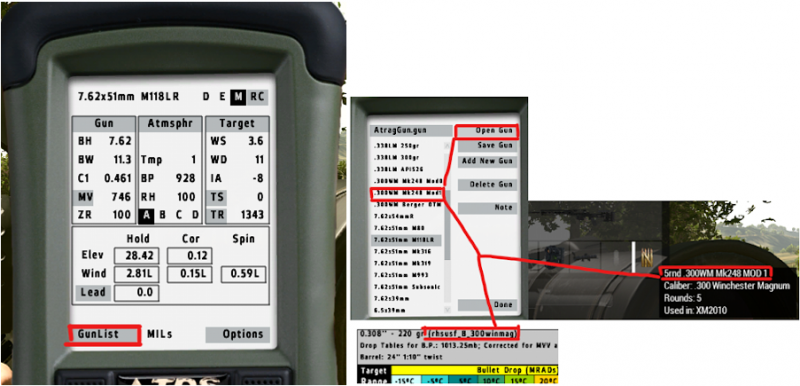
Using the AtrgMX to select gun values
Open the AtragMX, select Gun List and choose the bullet you will be using for the mission.
If your bullet isn’t present, you’ll have to select Add New Gun and input the values yourself.
*Note that even if your gun is present, the values saved in your device may be inaccurate, so always double check that values in the AtragMX correspond to the ones in your range card.